Whether you’re a first‑time visitor trying to figure out what Digistore24 does, an affiliate hunting for your next high‑converting offer, or a vendor ready to launch a product, this article has you covered from A to Z.
We’ve organized 40+ of the most common questions asked about Digistore24 into seven clearly labelled sections so you can jump straight to what matters most to you right now and what you’re curious about.
To put this list together, we collaborated with our amazing customer support team, as well as researched the most commonly asked questions on the web, emails and more.
Dive right in and find answers on everything from account setup, ID verification, and tax forms to commission structures, payout schedules, and the platform’s conversion and analytics tools.
Each answer is kept concise, with a direct link to the relevant Help Center article or official resource whenever a deeper dive is available. We aim to inform and encourage all of you aspiring entrepreneurs with this guide. Let’s get into it!
1. General Platform Questions
Q1. What exactly is Digistore24, and what problems does it solve?
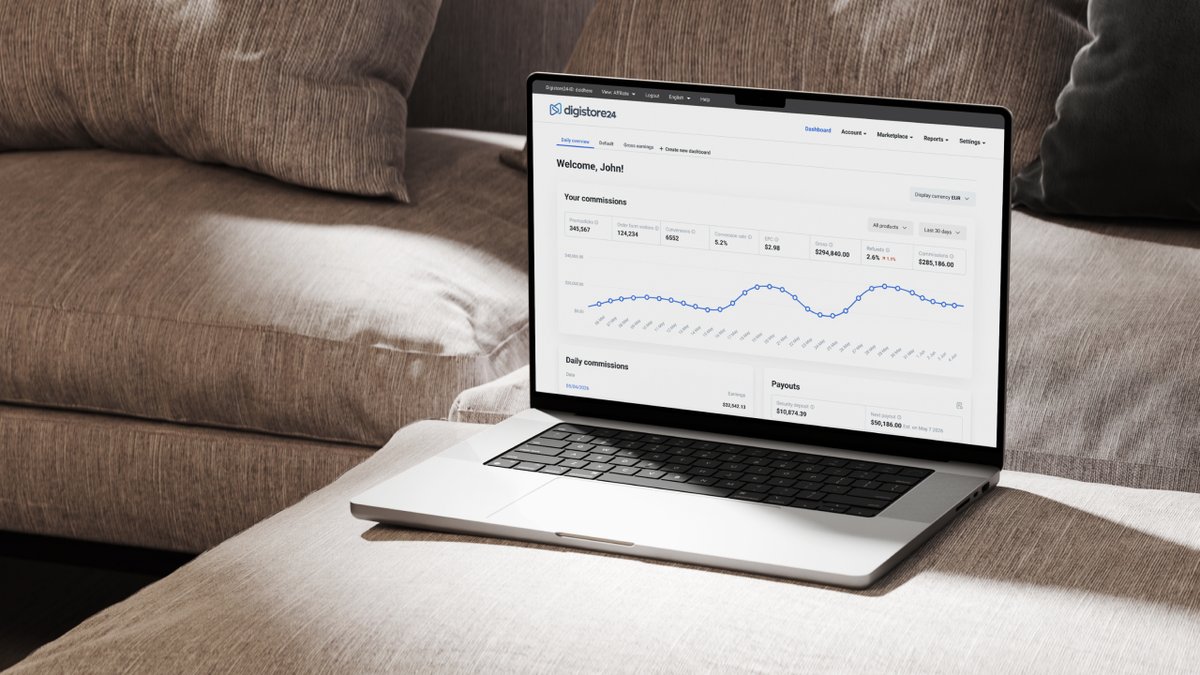
Digistore24 is a comprehensive online sales platform for affiliate marketers and vendors. It helps vendors (offer owners, course creators) to list and sell their products, and affiliates to promote said products.
Digistore24 makes shopping feel smoother for millions of end consumers thanks to the platform’s cutting-edge features, most importantly, payment processing!
Digistore24 combines three major functions:
- Payment processing
- Affiliate network management
- And Operational automation
It has been designed so online entrepreneurs who want to use Digistore24 get exactly what they need in a unified, secure environment: checkout, analytics, tax compliance, partner payouts, etc.
The platform addresses challenges that typically consume hours of manual work or expensive tech knowledge—things like automating invoicing, calculating and remitting VAT across jurisdictions, managing refunds and chargebacks, tracking multi-device attribution… not to mention paying out to thousands of affiliates on schedule!
The combination of services on Digistore24 has been highly attractive.
Since its founding in Germany in 2012 and US launch in 2018, Digistore24 has processed over $4+ billion in lifetime sales and expanded to reach more than 5.5 million sales annually.
Q2. What is the reseller model, and why does it matter?
Under Digistore24's reseller structure, the platform itself—not the vendor—becomes the legal merchant of record when an end customer makes a purchase. Digistore24 Inc. (US), Digistore24 GmbH (Germany), Digistore24 IE, and Digistore24 LTD (UK) all act as regional resellers that help vendors (and affiliates) sell to consumers.
For vendors, this means:
- No need to register foreign companies or open overseas bank accounts when selling internationally
- VAT and sales-tax obligations handled by Digistore24's regional entities
- Simplified accounting—vendors receive a net payout after Digistore24 deducts its margin, applicable taxes, and affiliate commissions
- Front-line responsibility for chargebacks and refund disputes is absorbed by the platform
For affiliates:
- Commissions are paid by Digistore24, ensuring reliability and speed
- Single contractual relationship, regardless of how many products you promote
This model is the foundation of Digistore24's international presence—and its efficiency.
Q3. I registered as a vendor but want to promote offers as an affiliate. How do I switch?
Every Digistore24 account supports both vendor and affiliate activities—you don't need separate registrations. The platform interface lets you toggle between roles at any time.
To switch views:
- Log in and click on the avatar icon for a dropdown to appear in the top-right corner (it displays either "Vendor" or "Affiliate")
- Click it and select the role you want to work in
- The dashboard, navigation menu, and available features will adjust accordingly
Full guidance is available in our official help section.
Q4. What is my Digistore24 ID, and where do I find it?
Your Digistore24 ID is a unique alphanumeric identifier permanently assigned to your account. It serves as your username when logging in and appears in various places throughout the platform (order reports, commission statements, promolinks).
To locate it:
- Go to Account › Details
- Your Digistore24 ID is displayed prominently at the top of the page
- It can be changed after registration, but this is limited to a 7-day window
For more details, check out our official help guide on Digistore24.com.
Q5. How do I verify my email address, and why is it required?
Email verification ensures that Digistore24 can reach you with critical account notifications, including payout alerts, security warnings, policy updates, and password-reset links. An unverified email may also restrict certain account functions.
If you haven't received the verification email, contact our support team directly at helpdesk@digistore24.com for assistance.
Q6. How can I update my account details
Navigate to Account › And you'll see fields for:
- Personal/business name
- Email address (requires verification if changed)
- Physical address (Not required for payouts)
- Company registration number (if applicable)
- VAT ID or tax identification number
Make your changes, scroll to the bottom, enter your current Digistore24 password, and click Save.
Q7. Why am I required to provide VAT or tax details?
Digistore24 operates in multiple jurisdictions with differing tax obligations. To process payouts legally and calculate taxes correctly on transactions, the platform must collect your VAT identification number (EU/UK) or tax ID / EIN (US).
When you need to provide it:
- EU/UK users: If you're VAT-registered, enter your VAT ID. If not (e.g., sole trader under the threshold), you may enter your local tax number or leave it blank, depending on your country's rules.
- US users: Provide your Social Security Number (individuals) or Employer Identification Number (businesses).
How to add it:
Go to Account › Details, locate the "VAT ID / Tax number" field, enter your information, and save.
Q8. What are W-8 and W-9 forms, and why do I need to submit one?
If you earn money through Digistore24 Inc. (the US reseller entity), the IRS requires the platform to collect tax information about every payee.
W-9 form: For US persons (citizens, residents, US-based businesses). It confirms your taxpayer identification number so Digistore24 can issue a 1099 form at year-end if your earnings exceed the reporting threshold.
W-8 form: For non-US persons earning from Digistore24 Inc. It declares your foreign status and may reduce or eliminate US withholding tax on your earnings under applicable tax treaties.
How to submit:
- Download the appropriate form from the IRS website or generate it via Digistore24's interface, and complete all required fields.
Q9. Where can I learn more about using Digistore24—tutorials, guides, videos?
Digistore24 maintains an extensive library of learning resources:
2. Account Setup & Administration
Q1. How long does account approval take?
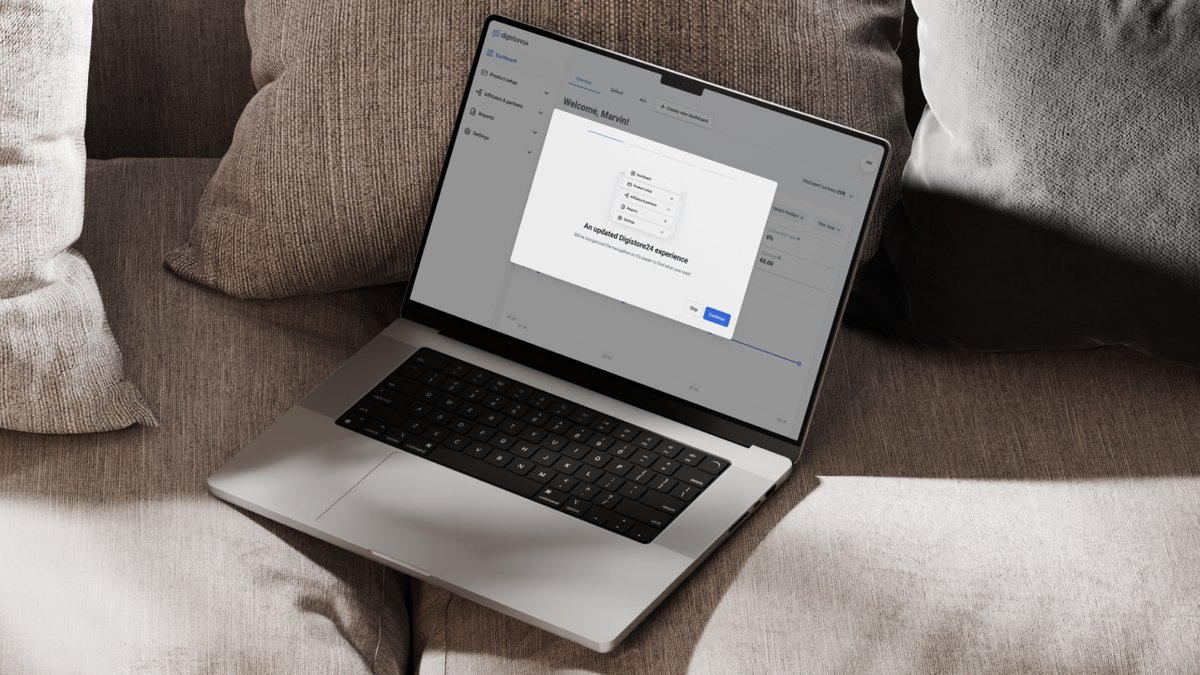
Most new accounts are activated instantly. Just make sure to verify your email address as well.
You can always reach out to support via the Help Center for more information.
Q2. Do I need to register a business, or can I operate as an individual?
Both individual sole traders and registered companies can use Digistore24. Requirements vary by country:
EU/UK: Many countries require business registration once you exceed certain revenue thresholds. Germany, for instance, mandates registration for any commercial activity. Check your local Small Business Act or equivalent regulations.
US: You can operate as a sole proprietor (using your SSN) or as a registered entity (LLC, corporation). Digistore24 accepts both.
Regardless of structure, you must provide accurate tax identification details to receive payouts.
Full country-specific guidance can be found on Digistore24.com.
Q3. What are the fees and costs for using Digistore24?
For vendors: Digistore24 charges a percentage-based margin on each sale rather than upfront subscription fees.
The standard fee is 7.9% + 1 (EUR, USD, etc.) of the gross purchase amount, meaning the final amount paid by the customer.
This margin covers payment processing, tax handling, chargeback protection, and affiliate payout administration. There are no setup fees, monthly minimums, or listing charges.
For affiliates: Account registration and product promotion are completely free. Digistore24 normally deducts a small fixed amount per payout, depending on the reseller and payment transfer method.
Complete fee schedules:
3. Affiliates / Promotional Partners

Q1. How do I find the best products to promote on the Marketplace?
Choosing the right offer to promote is one of the single biggest factors in your success as an affiliate. A product that suits your strong points and target audience, with strong conversions and a generous commission structure, can generate income from modest traffic, and hopefully scale up fast.
Meanwhile, a poor match can burn through your budget and leave you with little or nothing to show for it. The good news is that Digistore24 is designed to help you plunge into the search with confidence. We’ve got you covered with performance data, filtering tools, and pointers to pre-verified vendor resources, so you’re never flying blind.
Here’s how to make the most of it:
1. Navigate to the Marketplace:
- Log in, switch to the Affiliate view, and click Marketplace in the main menu.
- You'll see a browsing interface with thousands of offers across multiple niches.
2. Search and filter:
- Use the search bar to find products by keyword
- Apply filters: niche category, commission type (CPA or RevShare), language, target market
- Sort by popularity, earnings per click (EPC), or newest listings
3. Evaluate before promoting:
- Click any product to view its detail page, which includes:
- Sales page URL (test the funnel yourself)
- Commission rate and structure
- Vendor support resources (Affiliate Support Page link)
- Product approval status (green checkmark = ready to promote)
4. Apply for partnership:
- If the vendor requires approval, click Request partnership.
- If partnerships are automatic, you can generate your promolink immediately.
In cases where the partnership approval is not automatic, the vendor, as the offer owner, still needs to review the partnership request and make a decision, which can take a minimum of 48 hours.
If affiliates do not receive a response within that timeframe, they should contact the vendor directly via the email address listed on the affiliate support page, which is available for almost every offer on the Marketplace.
Q2. What is my Affiliate ID, and where do I find it?
Your Affiliate ID is a numeric identifier identical to your Account ID. It tells Digistore24 which affiliate should receive credit when someone clicks your link and makes a purchase.
To find it:
- Switch to Affiliate view
- Your Affiliate ID appears in the top-right corner of the profile icon menu
Q3. How do I generate and manage my promolinks?
Create a promolink:
- Find the product you want to promote in the Marketplace
- Click Create promolink on the product detail page
- Optionally, add a custom tracking key (to differentiate traffic sources)
- Copy the generated URL and use it in your marketing
Track performance:
- Go to Reports › Promo clicks to see click volume, conversions, and earnings per link
- Use unique tracking keys for each campaign (email vs social vs paid ads) to identify what's working
Advanced options:
- Deep linking: Direct users to a specific upsell or payment plan by modifying the promolink URL
- Promocode attribution: Let customers enter a code at checkout instead of clicking a link
- After selecting the product to promote, click on the Promote Now button in order to create the partnership.
- A Promolink will be generated which will be used to promote the product.
- You should also see the list of all partnerships created in your account under Sales & Partners > Vendor partnerships.
- Now you should see all the data related to the partnership, including affiliate commission, affiliation status, language etc.
- If you click on the pencil icon besides each partnership, the Promolink can be seen, copied and used for promotion.
Q4. How can I test if my promolink is working correctly?
Quick test method:
- Copy your promolink and paste it into a private/incognito browser window
- Click through to the vendor's sales page
- If the page loads normally and you see the checkout form, the link is functional
Check attribution:
After clicking your own link, return to your Digistore24 dashboard and navigate to Reports › Promo clicks. Within a few minutes, you should see a new click recorded with your tracking key (if used) and timestamp.
Common issues:
- URL shorteners can strip tracking parameters—always test shortened links
- Ad platforms (Facebook, Google) may block or flag affiliate links—use a bridge page or cloaking tool where permitted.
- If a link generates an error code (e.g., "AM17"), it means your partnership with that vendor is not active or has been revoked
Step-by-Step Breakdown:
- Click on your affiliate link/advertising link.
- Open the order form of the product you are promoting.
- Right-click anywhere on the order form.
- Click on "Inspect" (Chrome)/"Inspect Element" (Safari)/"View Source" (Edge).
- Now scroll down until you reach „<div id="controll_code"></div>“ or search for your affiliate ID.
- If your affiliate ID is seen, your affiliate link/advertising link will work.
A second solution: after reaching out via Order Form, you can check your affiliate ID on the bottom right corner of the Order Form.
Q5. How is my affiliate commission calculated, and when do I see it in my account?
Each product has a defined payout structure—either a fixed dollar/euro amount (CPA) or a percentage of the sale price (RevShare). Some offers use tiered structures where your rate increases after hitting volume milestones.
What you earn from a sale:
- Customer purchases via your promolink
- Digistore24 processes the transaction and deducts its margin, applicable taxes, and the vendor's share
- Your gross commission is allocated to your account immediately and appears under Reports › Commissions
- A 10% security deposit is withheld for 60 days
- The remaining 90% becomes available for payout 14 days after the sale (or 30 days for high-ticket products above $300)
Subscription/recurring commissions: If you promote a membership or subscription product, you typically earn a commission on every recurring payment for as long as the customer remains active.
Q6. Can I promote multiple products on Digistore24 at once, and is there a limit?
Yes—you can promote as many products as you want, from as many vendors as will approve your partnership. There are no platform-imposed caps on the number of simultaneous promotions.
Best practices:
- Focus on products that align with your audience and traffic sources
- Start with 2–5 offers in your first month to learn what converts
- Use unique tracking keys for each product to measure performance accurately
- Avoid promoting competing products to the same audience simultaneously (can dilute trust and confuse buyers)
Q7. What support and resources do vendors provide to affiliates?
Quality vendors understand that affiliate success drives their own revenue, so they invest in promotional support:
Affiliate Support Pages: Most serious vendors maintain a dedicated page (linked from the Marketplace listing) that includes:
- Swipe copy for emails, social posts, and ads
- Banner images, product photos, and video assets
- Conversion data (CR, AOV, EPC) to help you forecast earnings
- Unique selling points and target audience descriptions
Direct communication: Many vendors offer Slack channels, private Facebook groups, or direct email access so affiliates can ask questions, request custom creatives, or negotiate bonus incentives.
Account Manager introductions: Digistore24's Affiliate Growth Team can connect you directly with high-performing vendors, especially if you have meaningful traffic or a track record on the platform.
Q8. What is Launch Pad, and how do I join?
Launch Pad is Digistore24's affiliate mentorship programme—a combination of weekly live training calls, insider tactics from top earners, and a private community where affiliates share what's working.
What's covered:
- Traffic-generation strategies (paid ads, organic content, influencer partnerships)
- Funnel optimization and conversion tactics
- Advanced tracking and attribution techniques
- Product selection and vendor relationship-building
- Networking opportunities with other affiliates
4. Sellers / Vendors
Q1. What types of products can I sell on Digistore24?
Digistore24 supports a wide range of product categories, each with its own setup workflow:
Digital products:
- E-books, PDFs, downloadable templates
- Software (SaaS, desktop apps, plugins)
- Online courses and membership sites
- Video training programmes
- Music, stock images, and digital art
- Fitness programs
Physical products:
- Health supplements and nutraceuticals
- Books and printed materials
- Consumer goods with fulfillment partnerships
Services:
- Coaching packages and consulting sessions
- High-ticket courses with personal support
- Seminars, workshops, and live events
Revenue models:
- Single payment
- Subscription
- Installment
Most product types are welcome, but the platform does exclude certain categories (adult content, gambling, weapons, pharmaceuticals, and multi-level marketing).
Q2. Can I sell to customers worldwide?
Digistore24's infrastructure supports sales to many countries across the world. Thanks to localized payment processing through regional reseller entities, you can sell across borders without needing your own foreign companies or bank accounts.
Practical considerations:
- Language: Your sales page and checkout can be in any language, but you may want to translate materials for major markets
- Currency: Customers see prices in their local currency when you enable multi-currency display
- Shipping: If selling physical goods, confirm that your fulfillment partner ships to the target region
- Legal compliance: Certain product categories face restrictions in specific countries (e.g., supplement ingredients banned in some jurisdictions)
Digistore24 handles the tax and payment-processing complexity; you focus on marketing and product delivery.
Q3. How do I create and set up my first product?
Step-by-step process:
- Log in and switch to Vendor view
- Navigate to Account › Products
- Click Create new product
- Choose your product type (digital, physical, service, seminar, software, supplement)
- Fill in the product details:
- Name, description, and pricing
- Payment plans (one-time, subscription, installment)
- Commission structure for affiliates
- Fulfillment method (instant download, API delivery, manual fulfillment)
- Configure your order form using the Cart Builder
- Set up upsells and downsells (optional but recommended)
- Save and submit for approval
Q4. How does the product approval process work, and how long does it take?
Every new product submitted to Digistore24 goes through a compliance review before it can go live. The review checks:
- Sales page quality and accuracy (no misleading claims)
- Product legality and compliance with consumer-protection laws
- Advertising materials and affiliate resources
- Pricing and refund policy transparency
Timeline:
Standard approval takes 1–3 business days.
Complex or high-value products (supplements, high-ticket coaching) may take longer if additional documentation is required.
Q5. What are the costs involved in selling as a vendor?
Digistore24 operates on a transaction-based fee model. Check out the details:
No upfront costs:
- No account setup fees
- No monthly subscription
- No listing charges
- No minimum sales requirements
Per-transaction margin: Digistore24 deducts a percentage-based margin from each sale to cover payment processing, tax handling, fraud protection, and infrastructure.
Rates vary by region:
- US: ~7.9% + $1 per transaction
- EU: ~7.9%–9.9% depending on product category
- UK: Similar to the EU structure
This margin is deducted before you receive your payout. Affiliate commissions are also paid from the gross sale price and managed by Digistore24 on your behalf.
Q6. My product was approved, but it's not showing up in the Marketplace. Why?
Product approval and Marketplace publication are two separate steps.
After your product is approved:
- Go to Account › Products
- Click on your product
- Navigate to the Marketplace tab
- Click Publish on Marketplace
- Complete the Marketplace entry form:
- Headline and description aimed at affiliates (not customers)
- Product image
- Link to your Affiliate Support Page
- Commission details
- Submit for Marketplace approval
The Marketplace listing undergoes its own review (typically 24–48 hours) to ensure it meets quality and clarity standards for affiliates. Once approved, your offer becomes visible in the Marketplace search results.
Any change made in a Marketplace entry will be active after one hour.
Q7. How can I attract affiliates to promote my offer?
For vendors on Digistore24, affiliates are your growth engine. They bring you targeted traffic, new customers, and revenue you’d never reach through your own marketing channels alone—and you only pay them when they deliver results. But top affiliates are selective: they have limited bandwidth and a steady stream of offers competing for their attention.
That means attracting the right partners isn’t just about listing your product and hoping for the best—it requires the strategic thinking that makes your offer impossible to ignore. Here’s what works:
- Offer competitive commissions:Top-performing offers in the US typically pay 75%–90% on front-end products. Higher commissions attract more—and better—affiliates.
- Create a compelling Affiliate Support Page:Include swipe copy, banner images, video assets, conversion data, and clear instructions. Make it effortless for affiliates to start promoting.
- Publish on the Marketplace:A well-crafted Marketplace listing with a strong headline, detailed description, and attractive product image does much of the recruitment work for you.
- Leverage your Account Manager: Digistore24's team can introduce you directly to affiliates whose traffic profiles match your product.
- Tap your existing customers: Use the "Customers to Affiliates" feature to invite happy buyers to promote your product and earn commissions.
- Network at industry events:Affiliate Summit, Traffic & Conversion Summit, and Digistore24's own VIP gatherings remain some of the most reliable ways to form high-value partnerships.
5. Platform Features & Tools
Q1. How can Digistore24 help me grow?
First of all, you’ve come to the right place. Digistore24 is engineered to remove the bottlenecks that afflict online businesses and proactively encourages growth.
If you are acting as a vendor, that means slick checkout pages, options like upsells that lift average order value (Digistore24 vendors report roughly 20% higher revenue from upsells alone), and automated back‑office processes.
And of course, access to thousands of high-skilled affiliates ready to send you traffic. If you are an affiliate, you’ll navigate a marketplace of high‑performing offers, reliable tracking, rapid payouts, and mentorship programmes like Launch Pad to accelerate your learning curve.
Behind the scenes, the platform invests around $10 million per year in technology improvements so that the features and tools keep pace with the market. Everything from split‑testing capabilities to advanced analytics to new payment integrations is constantly maintained and/or upgraded. That powerful setup encourages you to think maximally.
The Human Touch
Meanwhile, humans are there to help as well. Digistore24 has been steadily gaining a reputation for its hands-on, “white-glove” approach to onboarding and user support. From regular updates via email, social posts, and newsletter to personal communication, ensuring a Human Touch philosophy is central to strategy.
We have absolutely made this a core ambition and stuck to it. What’s the point of going on a growth adventure, after all, if you are not joined by some great companions?
For more ideas, our Digistore24 blog is packed with tactical guides—covering everything from building killer sales pages and structuring upsell flows to attracting affiliates, reducing chargebacks, increasing AOV, and enhancing your brand.
As well as a guide to the business as a whole, this is a practical companion to the platform’s ever-evolving tools and features—so well worth bookmarking!
Q2. What are the most important tools and capabilities Digistore24 offers?
Digistore24 bundles an unusually broad set of tools into one environment:
- Cart Builder: 20+ conversion widgets, mobile-responsive templates, product variants, order bumps, countdown timers
- One-click upsells and multi-upsell pages: Increase average order value without requiring customers to re-enter payment details
- Conversion Cockpit: Free A/B split testing on products, sales pages, upsells, and order forms
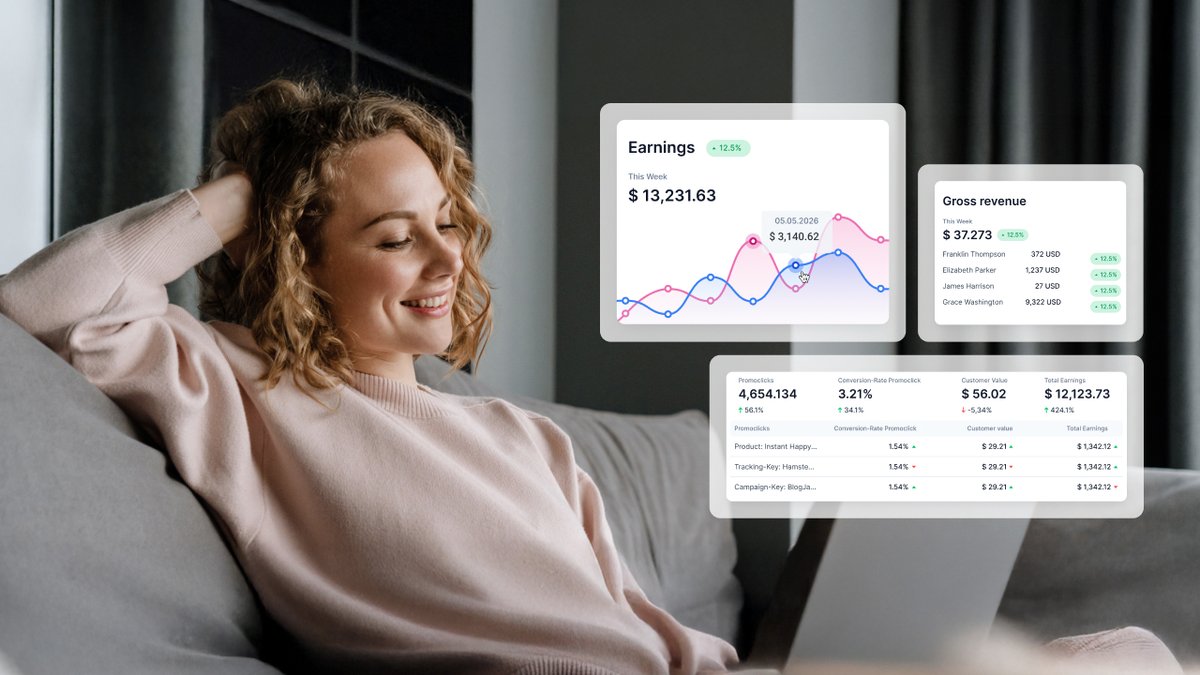
- Real-time analytics dashboard: Customizable KPIs (CR, CLV, AOV, EPC), downloadable reports, web-page tracking
- Advanced tracking: Multi-device attribution, S2S postback, Meta Conversion API, Google Analytics integration
- Localized payment processing: Regional banks, Apple Pay, Google Pay, PayPal, Klarna, Sezzle, SEPA
- Affiliate marketplace: 8,500+ offers across 44+ niches, CPA and RevShare models
- Back-office automation: Invoicing, tax/VAT, refunds, chargebacks, affiliate payouts
- Mobile app: iOS and Android for dashboards, transaction management, push notifications
Q3. What analytics and reporting tools does Digistore24 provide?
We provide a full analytics ecosystem where both vendors and affiliates make data-backed decisions without leaving the platform. Check out the details:
- Dashboard: Role-aware (vendors and affiliates see different widgets) and fully customizable. Pick which KPIs appear, how they're grouped, and in which currency. Real-time data lets you react immediately.
- Digistore24 Analytics: Tracks conversion rate, customer lifetime value, average order value, earnings per click, and more. Surfaces the biggest conversion levers in your business.
- Web-page tracking: Measures visitor volume, behaviour paths, and conversion stages across your funnel.
- Tracking integration: Embed Meta Pixels, Google Analytics tags, and other scripts directly on order forms and confirmation pages.
- Downloadable reports: Export transaction data, affiliate performance, refund rates, and promo clicks for offline analysis.
Q4. Is there a mobile app, and what can I do with it?
Yes—Digistore24 offers iOS and Android apps with these core functions:
- Real-time dashboards: Custom views of sales, earnings, conversion rates, filtered by product and time
- Transaction management: Browse and inspect individual orders by ID, customer, payment method, or currency
- Marketplace browsing: Search offers, apply filters, generate promolinks (affiliates)
- Push notifications: Instant alerts when sales come through
- E-ticket validation: Scan attendees at events (if selling tickets)
- Discount-code management: Create, edit, or delete promo codes on the fly
- Multi-account switching: Toggle between different accounts and vendor/affiliate views
The app is free to download—note that use requires an existing Digistore24 account.
6. International Selling, Payments & Payouts
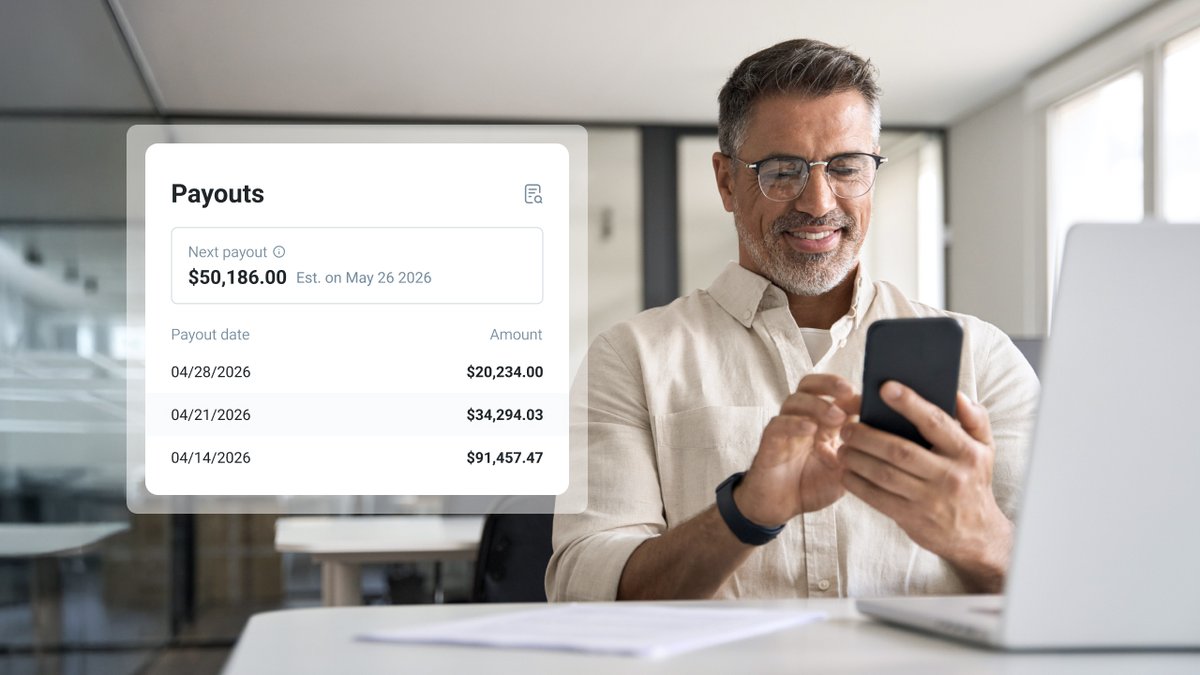
Q1. How does Digistore24 simplify cross-border selling?
Digistore24's reseller model is the foundation of its cross-border capacity, enabling rapid, smooth global scaling. Instead of vendors registering companies and managing tax in every country, Digistore24 acts as a merchant of record through regional entities (resellers). Here are some of the key benefits:
- Payments processed through local banks in the buyer's currency—fewer declines, higher approval rates
- VAT and sales-tax calculations are handled by Digistore24 based on the buyer's location
- 60,000+ affiliates worldwide can drive traffic from day one
- Full funnel translation and adaptation
Together with a dedicated team of expert support agents, this process setup makes expanding from one market to another primarily a marketing challenge rather than a legal/operational one.
Q2. What payment methods are available at checkout?
Varies slightly by region but typically payment menthods on Digistore24 include:
- Credit/debit cards (Visa, Mastercard, Amex, Discover)
- Apple Pay, Google Pay
- PayPal
- Buy-now-pay-later (Klarna, Sezzle)
- Bank transfers (SEPA in Europe)
- Venmo (US) and other regional methods
Vendors can choose which methods appear and test different combinations via the customizable order form.
Q3. How do I configure my payout account?
Navigate to Account › Payout account and complete:
- Payout method: PayPal, SEPA, US transfer (ACH), or international wire
- Payout currency: Select your preferred currency (doesn't have to match sales currency)
- Sales currencies and reseller: Indicate which transaction currencies feed this payout account
- Payout dates: Choose from 7th, 14th, 21st, 28th of each month
- Payout threshold: Set minimum balance for automatic transfer
- Password validation: Enter current password and save
Until all fields are complete and address/tax details verified, no payouts can be processed.
Q4. I promoted a product, but I don't see any commission. What happened?
Several possible reasons:
- Partnership not active: Vendor hasn't approved your request, or the partnership was revoked
- Cookie overwritten: Buyer clicked another affiliate's link after yours
- Different device: Customer clicked on phone but purchased on laptop, where no cookie exists
- Link issue: A shortened or modified link may have stripped tracking parameters
- Purchased own product: An affiliate purchases products they are themselves promoting
Always test links before live campaigns.
Check Reports › Commissions to verify attribution.
Q5. What are the payout minimums and schedules?
Payouts process on four monthly dates: 7th, 14th, 21st, 28th. Minimums vary:
Activate one, two, or all four dates. Funds typically arrive within 10 business days after Digistore24 initiates transfer.
High-performing affiliates can arrange accelerated payouts (up to 3× weekly) through the Affiliate Growth Team.
Check out the Help Center section for more details.
Q6. Why are some earnings showing negative amounts?
Negative entries mean a previously credited sale was reversed—either through customer refund or chargeback. Your commission is clawed back to reflect the reversed transaction.
Trace any negative entry by copying the order ID and looking it up under Reports › Transactions.
This is why the 10% security deposit exists—to maintain a buffer covering reversals without creating debt on your account.
Q7. What is the security deposit?
Digistore24 withholds 10% of each sale's earnings for 60 days. This reserve ensures there's cash available to cover refunds and chargebacks.
Timeline for typical products (<€300):
- 90% available for payout: 14 days after sale
- 10% security deposit: 60 days after sale
For high-ticket products (>€300), the initial 90% is held for 30 days instead of 14.
Security deposit amount sits on top of your payout threshold. If retention brings your available balance below the minimum, no payout fires until more sales accumulate or the retention period expires.
Q8. My payout shows "pending"—why hasn't it arrived?
Possible reasons:
- Threshold not reached: After deductions (margin, commissions, security deposit), the available balance is below the minimum
- Security period active: Earnings still within 14-day or 30-day holding window
- Incomplete account details: Missing address, VAT ID, or payout-method fields block transfers
- Banking transit time: Up to 10 business days after Digistore24 initiates transfer
The payout process is fully automated. As long as all conditions are met, the transfer executes on the next qualifying date.
7. Risk, Cybersecurity & Compliance

Q1. How secure is Digistore24's transaction and data handling?
When you run your business on a platform, you’re trusting it with your revenue, your customers’ payment details, and your own personal data—so security isn’t optional! A serious breach or extended downtime can wipe out sales, damage your reputation, and strain relationships with affiliates and buyers.
Digistore24 is built with this reality in mind. Its infrastructure, payment processing, and data‑protection practices are designed to meet strict compliance standards in multiple jurisdictions and to hold up under heavy, real‑world transaction volume. Here’s how our multi-layer security looks at a glance:
- Infrastructure: AWS servers with 99.99% uptime, resilient against attacks and data loss
- Payment security: All transactions through reputable processors with current encryption standards
- TÜV certification: European quality/safety standard covering IT security, data protection, and consumer protection
- GDPR compliance: Cookie consent, data-processing agreements, statutory retention/deletion
Over 600,000 transactions processed monthly—battle-tested at scale.
Q2. How does the platform guard against fraud and chargebacks?
Fraud represents <1% of all transactions. We maintain a zero-tolerance attitude and target it for elimination in every form. Defences include:
- Automated fraud-detection software: Evaluates every purchase against patterns refined since 2012
- Pre-purchase credit checks: Independent provider (e.g., Creditpass) blocks high-risk customers
- Chargeback management: Digistore24 handles the full dispute lifecycle with card issuers
- Security deposit: 10% earnings retention absorbs reversals
- Vendor reporting tools: Built-in "Report fraud" function for escalation
Q3. What compliance frameworks does Digistore24 follow?
- GDPR: Full EU data-protection regulation implementation—consent management, processing contracts, deletion rights
- Consumer protection: Digistore24 applies its own T&Cs as a reseller; products undergo quality/compliance review before listing
- Tax/VAT: Regional resellers calculate, collect, and remit taxes based on buyer location
- Vetting: Every vendor and affiliate must verify personal/business data; non-compliance risks suspension
Q4. What are my own compliance responsibilities?
- Accurate account data: Address, tax ID, payout details must be correct and current
- Advertising standards: Promotional materials must comply with consumer-protection and advertising laws
- Product quality/legality: Vendors ensure products are lawful and match descriptions
- Local regulations: Business registration, income-tax reporting, and sector licensing may apply outside Digistore24's scope
- Fraud reporting: Report suspicious activity through platform tools or support
Q5. I got a warning that my password may be compromised. What should I do?
Digistore24 monitors public breach databases. If your email/password combo appears in a known breach, the platform flags your account.
Immediate actions:
- Change Digistore24 password: Go to Account › Details, enter current password, set new one (long, random, unique)
- Change email password: That email can reset your platform password
- Enable 2FA if not already active
- Review account settings: Check for unfamiliar payout details or account-access grants
Q6. Where and how do I set up two-factor authentication (2FA)?
2FA adds a second identity-verification step after password entry, dramatically hardening account security.
Setup steps:
- Log in → Account › Details
- Under "Two-factor authentication," click Set up now
- Choose method (see table below)
- Enter current password and follow on-screen prompts
Available methods:
Best practice: Set up on two separate devices (primary + backup). If you lose both, support can restore access after ID verification.
Vendors can require 2FA for all employee accounts via Settings › Account access.
Q7. How do I recognize and avoid phishing or fake Digistore24 communications?
Remember this checklist for red flags and hostile actor prevention:
- Digistore24 NEVER asks for your password—not by email, phone, or chat. Anyone requesting it is fraudulent.
- Genuine emails are always from @digistore24.com—any other domain is fake.
- Use only valid login URLs: https://www.digistore24.com
- Use only the official mobile app. Verify URL in the browser address bar before entering credentials.
- Hover over links before clicking—browser shows actual destination in bottom-left corner. If the display text and URL don't match, it's phishing.
- "New login" alerts: Digistore24 emails when an unfamiliar device/location is detected. Check details; if not you, change your password immediately.
When in doubt, type [ www.digistore24.com ] manually rather than following any link!
Q8. Where can I find the full legal terms, privacy policy, and platform rules?
Published documents:
- General Terms and Conditions (GTC): Reseller model, commission structures, payout rules, compliance, suspension grounds—accessible via digistore24.com footer
- Privacy Policy / Data-handling declaration: GDPR compliance, cookies, tracking, third-party sharing, data-subject rights—same location
- Help Center: Practical guidance on how policies affect operations at help.digistore24.com
Review when creating an account and periodically thereafter, as terms update to reflect legal requirements and new features.
That’s all for our Comprehensive FAQ! We hope you’ve found what you were looking for—or the map to find the exact place where you can!